Why Product Launch Assets Fail the Motion
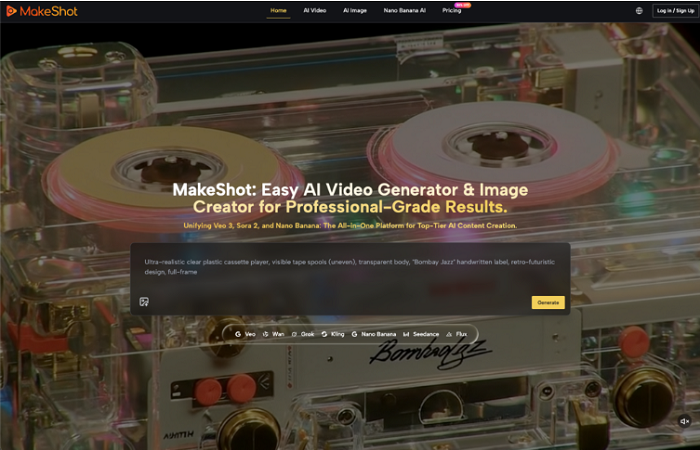
The path from a high-fidelity product render to a compelling marketing video is historically paved with expensive friction. In traditional pipelines, this transition requires a handoff between a 3D artist and a motion designer, followed by hours of keyframing and simulation. Generative AI promised to collapse this timeline, yet product teams often find themselves trapped in "hallucination soup." You start with a pixel-perfect static render of a new smartphone or a sleek SaaS UI, but the moment you introduce motion, the buttons melt into the casing, the logo shifts its weight, and the physical geometry of the product dissolves.
For product teams, this isn't just a technical glitch; it is a brand failure. A product launch relies on the "truth" of the visual asset. If the AI-generated motion creates a version of the product that physically couldn't exist, consumer trust erodes. Moving from a static source image to a reliable video output requires a shift in how we treat the AI Video Generator—moving away from descriptive, "creative" prompts toward a strict, reference-first constraint system.
The Fidelity Trap: Why Static Renders Aren’t Video-Ready
The core of the problem lies in how diffusion models prioritize pixels. Most general-purpose models are trained to prioritize "vibe" and "aesthetic" over structural rigidity. When you feed a clean product image into a standard text-to-video workflow, the model attempts to predict the next frame based on a library of cinematic movements rather than the specific geometry of your object.
This creates a specific type of cognitive dissonance. A viewer sees a crisp, 4K static frame that looks like a finished product, but as it begins to move, the internal logic of the object breaks. Lighting doesn't reflect off the glass as it should; instead, the glass itself ripples. For a marketing team, these "uncanny" artifacts make the asset unusable for anything beyond a low-stakes social media post.
Standard text-to-video models fail product teams because they treat the prompt as the primary directive and the image as a suggestion. To get launch-ready results, the hierarchy must be inverted. The image must be the unbreakable law, and the motion must be treated as a secondary attribute—a layer of transformation applied to a fixed structure.
Anatomy of a Controlled Transition: From Still to Sequence
To achieve professional-grade results, an operator must understand how an AI Video Generator interprets the layers of a source image. It isn't just looking at a flat grid of pixels; it is attempting to infer depth, texture, and the relationship between objects in the frame.
Reliable workflows start with identifying "stable zones" versus "dynamic zones." In a product shot, the logo and the physical chassis of the item are stable zones—they should never move or warp. The background, lighting flares, or environmental elements (like dust motes or a shifting camera angle) are dynamic zones.
The quality of the initial synthesis determines the success of the motion. If the source image has muddy edges or ambiguous lighting, the video model will hallucinate to fill in those gaps. This is why many creators use the Nano Banana engine on platforms like MakeShot for the initial image generation. By producing a high-fidelity, high-contrast baseline, you provide the video engine with a clear map of where the edges of the product begin and end. This reduces the likelihood of the "melting" effect during the latent space interpolation—the mathematical process where the AI decides how to fill the frames between point A and point B.
Operationalizing Motion: Reference Frames and Weighting
In a production environment, "motion strength" is a double-edged sword. Most teams think higher motion strength equals a more "cinematic" result, but in product marketing, high motion often leads to structural collapse.
When using a professional AI Video Generator, the strategy shifts toward "constraint-based generation." This involves several specific operational tactics:
-
Strict Image-to-Video Weighting: Rather than asking the model to "make the product fly," you use the source image as a 90% anchor. The goal is to move the *camera*, not the *object*. By focusing the prompt on camera movement (e.g., "slow dolly in," "subtle pan right"), the AI is more likely to keep the product's geometry intact while shifting the perspective around it.
-
Texture-Specific Engine Selection: Different diffusion architectures handle materials differently. Some engines excel at fluid, organic motion (great for lifestyle shots), while others, like those available through the MakeShot interface, are better at maintaining the hard edges of industrial design or hardware.
-
Frame-Rate Rigidity: Generating at a lower initial frame rate and then using a separate AI upscaler/interpolator for smoothness is often more reliable than asking the video generator to produce 60fps of complex motion directly.
The objective is to move away from the "lottery" of prompting and toward a repeatable pipeline where the motion is a predictable variable.

Where the Tech Fails: Current Limits of Structural Stability
Despite the rapid advancement of these tools, it is vital to acknowledge where the technology currently hits a wall. Expectation management is the difference between a successful launch and a wasted budget.
First, text legibility remains a significant hurdle. If your product has small, high-contrast typography—such as a serial number on a device or small menu items in a UI—an AI Video Generator will likely blur or "gibberish-ify" that text during any significant movement. Currently, the most reliable workaround is not to force the AI to handle it, but to generate the video with a "blank" product and overlay the text or UI elements in post-production using traditional tracking software.
Second, there is a persistent uncertainty regarding "one-click" consistency. You can use the exact same image and the exact same prompt twice and get two wildly different results—one where the product looks great and one where it turns into liquid. We are not yet at a stage where "prompt and ship" is a viable strategy for Tier-1 assets. Every clip requires a human-in-the-loop to vet the physics and lighting for brand-breaking hallucinations.
Finally, what we cannot conclude is that AI will replace the need for a creative director. If anything, the "infinite" nature of generative output requires more editorial discipline to ensure the motion aligns with the brand’s established visual language.
Structuring the Pipeline: From Static Asset to Launch-Ready Clip
A professional workflow for a product launch asset should follow a logical progression of increasing complexity. You do not start with the video; you start with the foundation.
Step 1: The Base Generation
Use a dedicated high-fidelity image engine like Nano Banana to create the "hero" shot. This image should be refined until the lighting, texture, and product geometry are exactly what the brand requires. Do not move to video until the static asset is perfect.
Step 2: The Stress Test
Run the hero shot through the video generator with a "motion strength" of 3 or 4. Generate 2-second bursts. Long-form AI video (10+ seconds) is prone to "drift," where the object slowly morphs into something else over time. Short bursts are significantly more stable and can be looped or edited together in a traditional timeline.
Step 3: Analyzing the Breaks
Look for where the model breaks the product’s physics. Does the shadow move independently of the light source? Does the logo shimmer? If these issues persist, the operator should adjust the "prompt adherence" settings, giving the AI less room to deviate from the source image.
Step 4: Final Assembly
The AI-generated clip is rarely the finished product. It is the "plate." Professional teams take these generated sequences into an editor to add sound design, color grading, and crisp graphic overlays.
By treating AI video as a component of a larger creative workflow—rather than a replacement for it—product teams can leverage the speed of generative tools without sacrificing the structural integrity that a professional launch demands. The goal isn't just to make it move; it's to make it move in a way that feels true to the product.