The Last-Mile Bottleneck: How AI Editing Collapses Launch Asset Review Cycles
The most expensive hour in a product launch isn't the one spent on strategy; it’s the one spent waiting for a minor retouch on a hero image. We have all been in that pre-launch war room: the landing page is coded, the ad spend is committed, but the primary visual has a glaring reflection on the product surface, or a background element that inadvertently competes with the CTA. In a traditional workflow, this triggers a Jira ticket, a designer’s context-switch, a re-export, and a second round of stakeholder approval. The "last mile" of asset production—the transition from a 95% complete image to a launch-ready file—is where momentum goes to die.
For product teams, the arrival of generative tools was supposed to solve this. Instead, many teams found themselves buried under a mountain of "almost perfect" AI generations. The bottleneck didn't disappear; it just moved from the creation phase to the refinement phase. The solution isn't more generation; it is surgical, localized editing.
The Friction Behind the 'Perfect' Launch Asset
The gap between a "good enough" generation and a launch-ready asset is often 20% of the creative work but 80% of the calendar time. When a team uses an AI generator to create a lifestyle shot for a new feature, they frequently encounter the "uncanny valley" of minor errors. Maybe a hand is positioned strangely, or the lighting on a peripheral object doesn't match the scene’s depth of field.
In a high-stakes launch, you cannot ignore these flaws. However, the traditional fix is cumbersome. If the team relies on an external agency or a centralized design department, a simple "remove that stray shadow" request can take 24 to 48 hours to clear the queue. During this window, the marketing lead, the product manager, and the web developer are essentially stalled.
This friction leads to a destructive behavior: over-generation. Product teams often burn through hundreds of prompts, hoping the AI will eventually spit out a "perfect" version that requires zero retouching. This is a lottery, not a workflow. It wastes time and leads to "style drift," where the final assets for a single campaign start to look like they came from five different brands because the prompts were tweaked so many times to fix minor details.
Surgical Refinement: Moving Beyond the Prompt
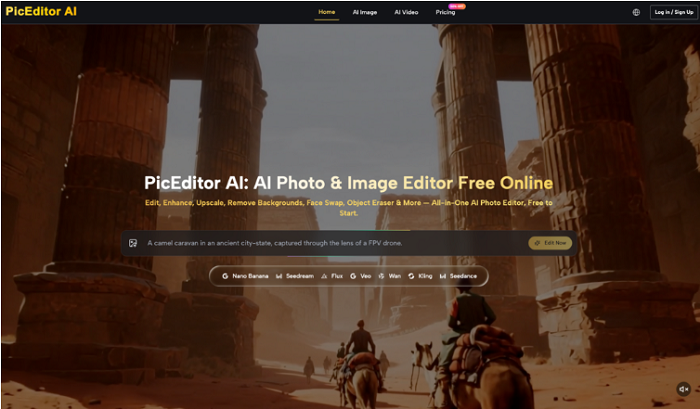
The industry is currently seeing a pivot from "Text-to-Image" as a primary focus toward "Image-to-Edit." For an operations-minded product team, the goal is to take a solid base image—whether it’s a raw photograph or an AI generation—and perform the final 5% of the work in-house. This is where a professional-grade AI Photo Editor changes the math of a launch.
Instead of writing a complex prompt to "render a woman holding a coffee cup without a ring on her finger," a product manager can take an existing high-quality asset and use an object eraser to remove the ring in seconds. This surgical approach preserves the integrity of the original asset—its lighting, composition, and brand "feel"—while removing the specific distraction that was holding up approval.
By utilizing an AI Photo Editor, teams can handle tasks like upscaling low-res concepts for high-DPI displays or swapping backgrounds to suit different regional markets without restarting the creative process from scratch. The business impact is immediate: you reduce the turnaround time for asset revisions from days to minutes. This isn't just about saving designer hours; it’s about maintaining the "state of flow" for the entire launch team. When a correction is instantaneous, the review cycle stays live, and the asset is approved in the same meeting where the flaw was identified.
The Power of Object Erasure and In-Painting
One of the most common blockers in launch assets is "environmental noise." You have a great shot of a user interacting with your software on a laptop, but there is a branded water bottle or a messy cable in the background. In a pre-AI world, this required Photoshop expertise. Today, using an AI Photo Editor, these elements can be "painted out" with awareness of the texture and lighting behind them. This capability allows product teams to use "found" assets or quick internal photoshoots that would have previously been deemed "too messy" for a public-facing landing page.
Integrating AI Photo Editor into the Product Review Loop
To truly collapse review cycles, the AI Photo Editor needs to be moved "upstream" into the review process itself. Traditionally, reviews are a feedback loop: Stakeholder sees image -> Stakeholder provides feedback -> Designer edits -> Stakeholder sees image again.
A more efficient model is the "Immediate Correction" loop. During a sync or a sprint review, the person presenting the assets can have an AI Photo Editor open. If a stakeholder notes that a background is too distracting or a model’s expression doesn't fit the brand voice, the team can test a background swap or a face swap in real-time.
Practical Use Cases for Product Teams
-
Regional Localization: A single hero image featuring a cityscape can be localized for London, Tokyo, or New York by swapping the background while keeping the foreground product and lighting consistent.
-
Representation and Diversity: If an initial set of assets lacks the necessary representation for a global launch, face-swapping tools within an AI Photo Editor can help diversify the visual library without the cost of multiple photoshoots.
-
UI Integration: While AI often struggles with rendering specific software interfaces, it excels at cleaning up the "lifestyle" environment around a screen. You can take a generic photo of someone looking at a tablet and use AI tools to ensure the lighting on the person's face matches the glow of your specific app's color palette.
This allows non-designers to maintain brand guardrails. A product manager might not know how to balance color curves in a complex suite, but they can certainly use an AI Photo Editor to remove a distracting logo from a background or upscale a grainy screenshot for a presentation deck.
The Limits of Generative Intelligence: Where AI Still Fails
Despite the massive leaps in capability, we must maintain a level of skepticism regarding what these tools can handle autonomously. It is a mistake to view a photo editing tool as a total replacement for human judgment or technical design.
One significant limitation is "technical precision." AI models are probabilistic; they "guess" what a pixel should look like based on patterns. This means they are notoriously poor at handling complex technical diagrams, specific UI text, or high-accuracy mockups. If you try to use AI to "fix" a screenshot of your analytics dashboard, it will likely hallucinate data points or distort the typography. For anything involving actual data or precise brand logos, traditional vector-based tools remain the only safe choice.
Furthermore, there is a persistent risk of "style drift." When you use different AI models—or even the same model with slightly different settings—across a suite of launch assets, you can end up with a subtle but jarring lack of cohesion. One image might have a "cinematic" contrast while another feels "flat" and digital. A human eye is still required to ensure that the collection of assets feels like a single, unified brand experience.
Finally, we have to acknowledge the ongoing uncertainty regarding the legal and ethical landscape of AI-generated content. While tools are becoming more robust, the "black box" nature of training data means that for high-visibility, multi-million dollar campaigns, a human-in-the-loop review for copyright and trademark compliance is not optional—it is a necessity.
Velocity as a Competitive Advantage in Launch Operations
In the modern market, velocity is a feature. The ability to iterate on a landing page's visual hook based on morning performance data and have a new version live by the afternoon is a competitive advantage. Traditional creative workflows simply aren't built for that level of agility.
By utilizing an AI Photo Editor for surgical refinements, product teams can drastically lower their cost-per-asset. More importantly, they can increase the frequency of their experiments. When the "cost" of a minor visual change is 15 minutes of an internal team member’s time instead of $500 in agency fees and two days of waiting, you are much more likely to A/B test different hero images.
The shift toward AI-assisted editing isn't just about making things "faster." It’s about removing the psychological and operational barriers to iteration. A team that can refine its visuals in real-time is a team that can respond to market feedback with surgical precision. The goal is a repeatable asset pipeline that prioritizes the quality of the final "last-mile" delivery over the sheer volume of initial generations. In the end, your customers don't care how many thousands of images your AI generated; they only care about the one they see on your launch day. Make sure that one is perfect.