Singing Still Vs AI Music Video Generator
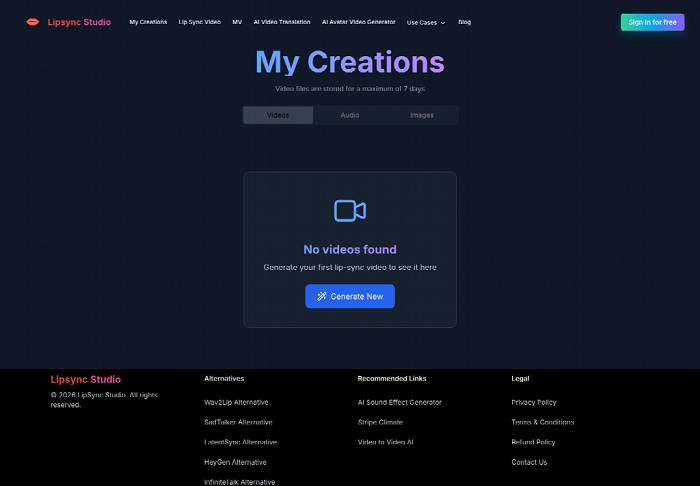
Release week puts the master audio next to a mute cover. Fans can already buy the song, the shirt, and the ticket from a store the artist actually owns, and still have nothing on screen that sings. Lip sync AI belongs in that gap only when the plan follows the track. A lone portrait asked to stand in for the whole single leaves the verse, the chorus, and the bridge as one frozen face.
Store listings already hold the price, the art, and the file. What they still need is a decision about sections. Lip Sync Studio can turn one singing portrait into a clip, or it can read the song and lay shots across the intro, the verse, and the chorus. The second choice is the one release week has to review, because a hero face with no change of shot is the cover learning how to move. The cost of picking late is a day spent exporting the wrong shape.
A Release Listing Can Stay Mute
Direct-to-fan selling already solved the checkout. The song, the merch, and the show can sit on one branded page, and the artist keeps the buyer data. None of that puts a mouth on the vocal. A mute cover is honest about the audio and silent about the performance. People who came for the track will play it. People who came to see who is singing get a square and a title.
That silence is a listing problem, not a taste problem. A three-minute single has sections a square cannot show. The intro can be a room, the verse a face, the chorus a wider move, the bridge a change of light. If the only moving image is the cover art nudged for the length of the file, the vocal has a duration and no scenes. The review question is which path can hold those sections without throwing out the master you already mixed.
The wrong fix is to commission a full treatment when you only needed the singer's face on the hook, and the other wrong fix is to stop at the face when the song's middle actually changes. Both mistakes show up as rework: a vertical clip that crops the mouth, or a wide clip that never changes shot, sent back because the listing cannot use it. Name the section you are serving before you upload anything.
Score The Video By The Section It Serves
A useful score is short. Does this moment need the singer's mouth on a lyric, or does it need a place? A mouth-on-lyric moment is a performance shot. A place is a narrative or a stylized cut that still has to land on the same bar. Mix them if the song does. Do not pretend they are the same upload.
The page that plans a full piece says the director reads duration, sections, lyrics, mood, energy changes, and beat density, then places scenes across the intro, verse, chorus, bridge, hook, and outro. That is a check you can hold the export to. If the chorus arrives and the picture is still the verse room, the timeline ignored the section. If the lyric names a street and the frame never leaves a black backdrop, the prompt never made it into the shot.
Verse Needs A Place The Chorus Does Not
Verses usually carry detail: a room, a hand, a line of lyric the singer almost speaks. Choruses usually carry the hook and a larger move. Scoring both with the same close-up makes the chorus feel like a longer verse. When you write the direction, say what changes when the hook hits, and say what must stay, such as the jacket or the face. The global brief is where that continuity lives. Shot prompts are where the change lives. If you only write "cinematic" once at the top, every section inherits the same fog.
A Vertical Crop And A Wide Frame
A store often needs two shapes from one master. A 16:9 frame can sit on the release page. A 9:16 frame can carry the hook where a square cover cannot. The export list includes six aspect ratios, and those two are the ones a listing usually has to survive. A 1:1 frame can match the cover you already printed. Picking 4K because it sounds larger is a separate choice: higher resolutions use the standard generation mode, so the fast draft and the final frame are not the same setting. Check the mouth at the shape you will actually post, not only at the wide master.
Two Roads From The Same Master
A chorus still is not a music video. It is one shot. The image path takes a clear portrait and one audio file, then returns a singing or speaking clip. That is the right road when the listing only needs the artist, or a character, to perform a phrase with a readable mouth. It is the wrong road when the song has to travel through rooms.
The other road starts from the track. You upload the music, optionally add image references, describe the direction, and generate a storyboard. The storyboard is built in stages and may take a few minutes. That wait is cheaper than rebuilding a finished film because the bridge had no shot of its own. Lip Sync Studio assembles the approved shots back onto the original music, so the mix you sell is the mix in the picture.
|
Road |
What you upload |
What you can still edit |
When the listing wants it |
|
Singing still |
One clear face and one audio file |
The portrait and the take |
A hook, a portrait, a single phrase |
|
Full music video |
The track, a direction, and up to five references |
Timing, prompts, frames, shot versions |
Verse, chorus, and bridge as different pictures |
|
After the cut |
The original music stays under the shots |
Split or remove a shot without a full rebuild |
Wide and vertical from the same master |
Use the first row when the cover is the performance. Use the second row when the song changes place. The third row is the reason not to fear a storyboard: one bad shot does not have to burn the afternoon. If two rows seem to fit, start with the still for the hook, and open the storyboard only for the section the still cannot hold.
What A Singing Still Actually Uploads
Singing still wants a face you can see. The workflow can plan vocal shots and lip-synced moments when the reference is a clear face and the direction says how the performance, the camera, and the expression should be read. A logo, a backlit silhouette, or a mouth hidden behind a hand gives the vocal moment nothing to sync. Reject that reference for the singing shot and keep it, if you need it, as a title card elsewhere. The still is allowed to be short. It is not allowed to be the only picture in a song that changes rooms, unless you have decided the other rooms do not matter for this listing.
What The Storyboard Asks You To Edit
After planning, the editable surface is specific. You can review the timeline, the image prompts, the video prompts, the storyboard frames, the shot duration, the lip-sync behavior, and the generated versions before the final composition. That list is the review, not a tour. Sit on the chorus frame first. If the mouth misses the hook, fix that shot's prompt or pick another version. If the jacket changes color between verse and chorus, the global brief and the references failed, and a local prompt will not reliably put the same cloth back.
How The Track Becomes The Timeline
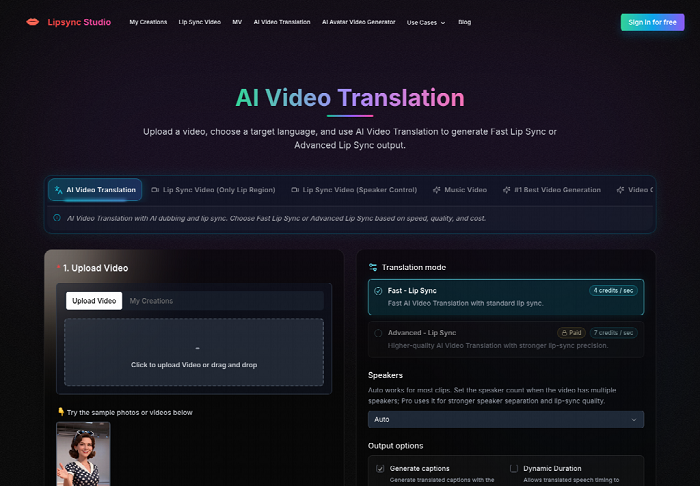
The full path is a director's pass, not a single generate button with a wish. In the AI music video generator, you start from the track: build a performance, a narrative, a conceptual piece, or a hybrid, then shape the artist, the world, the palette, the camera language, and the edit rhythm in one brief. Review and edit shot timing, prompts, references, and versions. Compose the approved shots into one finished piece on the original music.
References are optional and capped at five. Use them for the things that must not drift: the artist's face, a character, wardrobe, a prop, a location, or the overall style. Five slots go quickly if you spend three of them on mood photos and none on the face that has to sing. A release that depends on a specific jacket should spend a slot on that jacket. A release that depends on a skyline can spend a slot there and leave the face to a clearer portrait.
Say what happens in the verse, the chorus, and the bridge inside the direction. The analysis can see energy and beat density, but it cannot see a private meaning you never wrote. If the bridge is the moment the room empties, write that. If you leave it out, the bridge becomes another chorus with the lights still on, and you will spend the next pass explaining a picture the prompt never requested.
Shot Changes That Do Not Rebuild The Film
Individual shots can be revised. Change a shot's prompts and storyboard images, generate a new version, choose which version enters the final cut, and split or remove shots where the timeline allows. You do not need to regenerate the entire piece for one local change. That is the practical difference between a storyboard and a one-shot render you can only throw away.
Treat a failed chorus as a shot problem first. If the face is right and the room is wrong, keep the face reference and rewrite the room. If the mouth drifts off the lyric, adjust the lip-sync choice or the performance line in that shot instead of re-planning the intro. Time disappears when every note becomes a reason to start over. A version you do not pick can stay unpicked. It does not have to ship.
There is a failure that still means discard. If the singer in shot three is no longer the person in shot one, and a new version does not bring the face back, that cut cannot go on the listing. Fans who bought from the square cover will notice a stranger on the hook. Split the bad shot out, or remove it, and leave a shorter film that is still the same person. A shorter true cut beats a long one with a second face.
Formats A Store Clip Has To Survive
Music tracks can run up to 600 seconds. Most singles sit well under that, which means the cap is not your constraint and the section plan is. Output can be 720p, 1080p, or 4K. Use a lower frame while you are still judging mouths and rooms. Move to a higher resolution, on the standard mode the page ties to those larger frames, only after the chorus shot is one you would actually post.
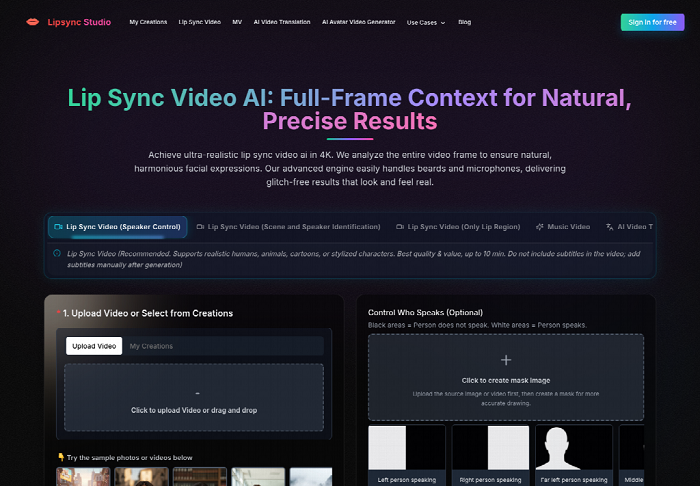
Lip Sync Studio will not choose 9:16 for you just because a store also needs a vertical clip. You choose the shape. Generate the wide cut for the release page, then a vertical cut for the hook, from the same track and the same face reference. Do not crop the wide master in a video editor and hope the mouth stays in frame. A crop that slices the lips is a failed delivery even when the wide file looked finished.
Length has a second edge. A 600-second cap does not mean a ten-minute visual treatment belongs on a three-minute single. Cut to the master you sell. Extra shots after the audio ends are a different film. If the storyboard runs long because a section was planned twice, remove the duplicate shot instead of stretching the song.
Ship The Cut That Matches The Listing
Ship the singing still when the listing needs one clear performance and the song can live in a single frame. Ship the storyboard path when the verse and the chorus are different pictures and you are willing to edit shots instead of hoping one generates an understanding of the track. Lip Sync Studio fits the second case when you bring the master, a face that can be seen, and a brief that names the sections.
Leave it closed if you do not have a finished vocal, or if the only reference is a logo. The tool will not mix the record for you, and it will not invent a bridge you refused to describe. Put the cut next to the cover you already sell. If the person, the lyric, and the section still agree, the listing can carry the picture. If they do not, the mute cover remains the honest file until the shot is fixed.