8 Best Online Lyric Video Makers: Which Escape the Generic Template Look?

Searches for “lyric video maker” jumped 92 percent between January 2023 and May 2026, driven by TikTok clips, YouTube Shorts, and Spotify Canvas loops.
But most “free” tools still spit out the same stock-template slideshows. As one Reddit musician admits, “CapCut works if you don’t mind syncing everything manually, but it gets time-consuming.”
So we rolled up our sleeves, stress-tested eight browser-based platforms, and ranked them on the pain points indie artists shout about—timing tedium, watermark traps, and copy-paste visuals.
Scan the next few sections and you’ll know which tool matches your budget, timeline, and aesthetic—then get back to making music.
How we picked and scored every tool
We didn’t pull names from a hat. We built a five-factor rubric around the pain points musicians mention most.
First, we rated feature depth (25%). Does the app sync lyrics for you, offer multiple fonts, and handle unconventional song structures?
Next is output quality (25%). HD or 4K exports without a watermark are table stakes. Smooth text animation and on-beat transitions earn points; blurry 720p freebies do not.
Because money matters, pricing and access carry 20%. A truly free tier with no hidden logo tops the list, while paid plans score well when the value is clear.
Usability comes fourth. We weight the learning curve at 15% because most indie artists would rather finish a mix than watch ten tutorial videos.
Finally, unique aesthetics account for the remaining 15%. If every export looks like an identical Instagram reel, we deduct points. Generative visuals or deep customization move tools up the chart.
Two hard gates keep the process fair: the platform must run entirely in a browser (no desktop installers), and it must let you publish at least one watermark-free video on a paid tier that costs less than hiring a freelance editor for the same job.
Once the rubric was set, we pushed each contender through a three-song stress test and tallied a 100-point score. You can skim the comparison table or dive into the narrative reviews to pick the best match for your next release.
Quick scorecard at a glance
You asked for the numbers, so here they are. We ran each platform through the same three-song test, logged every score, and placed them in one grid. Scan it, spot the leaders, then keep reading for the deep dives.
|
Tool |
Feature Depth |
Output Quality |
Pricing & Access |
Ease of Use |
Unique Aesthetic |
Total |
|
Neural Frames |
22/25 |
23/25 |
14/20 |
12/15 |
14/15 |
85 |
|
CapCut |
18/25 |
23/25 |
20/20 |
10/15 |
13/15 |
84 |
|
VEED.io |
22/25 |
22/25 |
12/20 |
12/15 |
13/15 |
81 |
|
Pictory |
23/25 |
22/25 |
13/20 |
12/15 |
12/15 |
82 |
|
LyricEdits |
24/25 |
23/25 |
10/20 |
11/15 |
14/15 |
82 |
|
Rotor Videos |
18/25 |
23/25 |
10/20 |
14/15 |
13/15 |
78 |
|
Steve.AI |
20/25 |
20/25 |
12/20 |
13/15 |
13/15 |
78 |
|
LyricMV |
18/25 |
20/25 |
12/20 |
14/15 |
10/15 |
74 |
Totals reflect the weighted rubric from the previous section. Bold numbers mark category leaders, useful when a single metric, such as price or creative flair, is your deciding factor.
In short, Neural Frames leads for all-round excellence, CapCut wins on pure value, and the rest stay competitive depending on your priorities. Keep the table handy as we break down each platform, starting with our top pick next.
1. Neural Frames: cinematic AI visuals in one click (top pick)
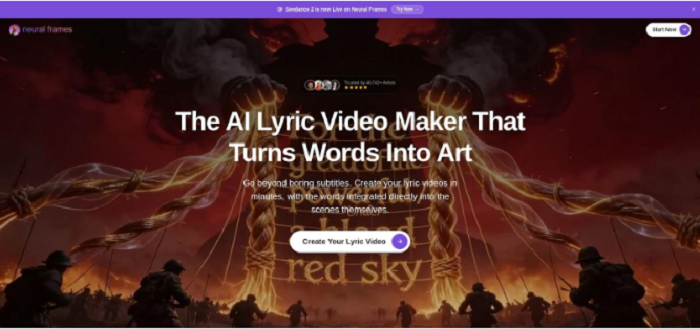
Neural Frames feels less like an app and more like a compact post-production house. Drop in your track, hit Autopilot, and the platform extracts lyrics, syncs visuals to the beat, and outputs a 4K video with generative backgrounds that move with the song’s mood. The render finishes faster than a coffee run (about five minutes in our tests), matching the speed claim on its site.
 Neural Frames lyric video maker web interface with generative backgrounds.
The standout feature is originality. Because every background is created on the fly, no two exports look alike, so you avoid the obvious “Template #7” vibe. Multi-platform export lets one edit fit widescreen, vertical, and square formats, so your YouTube premiere and TikTok teaser go live together.
Pricing on Neuralframes.com starts at nineteen dollars a month. The paid tiers unlock unlimited 4K exports, multiple aspect-ratio presets for TikTok or YouTube, and the Autopilot timing engine that locks captions to micro beats. You can learn more if you want the full breakdown before subscribing.
Its Autopilot engine analyses eight separate audio stems—drums, bass, vocals and more—to pin every caption and camera cut to the music’s micro-beats, a level of precision we didn’t see in the other tools we tested.
A freemium tier lets you test the workflow, and every paid export is watermark-free. Release music often? One paid month can cover an EP’s worth of lyric videos for less than a freelance motion-designer.
If you want hands-off speed plus visuals fans have never seen before, Neural Frames is the clear winner.
2. CapCut: pro-level polish without spending a cent (best free)
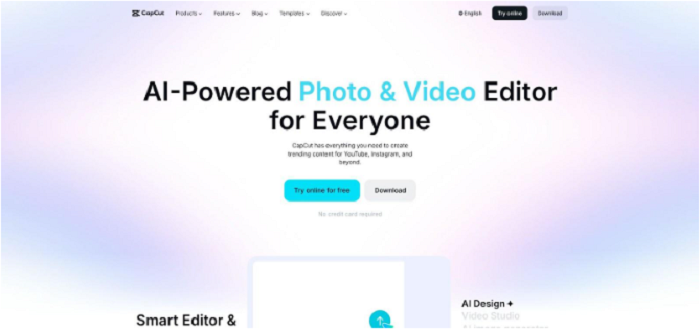
CapCut shows that you can look professional without a subscription. Open the web editor, import your track, and let the auto-caption tool place timestamps while you sip water. The transcription lands accurately for English vocals, and you can nudge stray syllables directly on the timeline.
 CapCut web video editor with auto captions for lyric videos.
CapCut’s real draw is creative freedom. You get every TikTok-style text animation, key-frame control, and a deep font library, and none of it sits behind a paywall. Want neon karaoke bounce for the hook and typewriter grit for the bridge? Switch styles per segment and keep moving. Exports reach 1080p or 4K without a watermark as long as you build from scratch rather than a branded template.
The cost is time. Auto captions align phrases, not single words, so fast rap verses need manual tweaks. One Reddit user put it plainly: CapCut works if you do the syncing yourself, and the finished look justifies the effort.
Choose CapCut when money is tight, brand control matters, and you like hands-on editing. It suits home-studio artists who would rather spend on audio plugins than video software.
3. VEED.io: brand-ready control in a browser (best for branding)
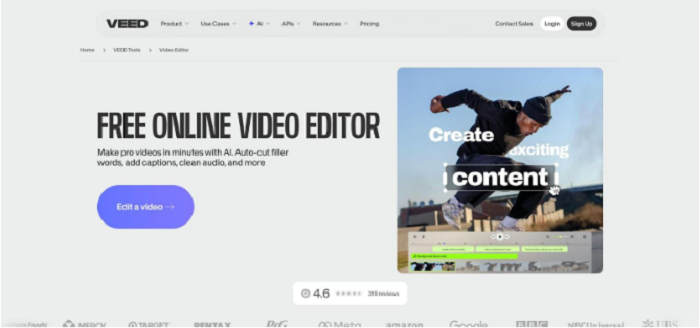
VEED balances depth with approachability. Open a project, import your song, and click Subtitles → Auto-Transcribe. In seconds every lyric lands on the timeline. From there you can treat the canvas like a mini Premiere: stack video layers, animate text with keyframes, or add a waveform that moves with the kick drum.
 VEED.io online video editor with auto-transcribe subtitles for branding.
Brand consistency is VEED’s edge. Upload your logo once, set house fonts and colors, and the editor remembers. Each new lyric video keeps the same look, so your channel feels cohesive without repetitive HEX checks.
Exports reach 4K on the Pro tier, and the mid-level Creator plan removes the watermark at full HD. At twelve dollars a month (billed annually), that undercuts what many distributors charge for one UPC.
The interface shows more panels than “upload-pick-go” apps, but an hour with the shortcuts pays off. If your visual identity matters as much as the music, VEED hands you the steering wheel without the weight of full studio software.
4. Pictory: stock-smart videos for story-driven lyrics
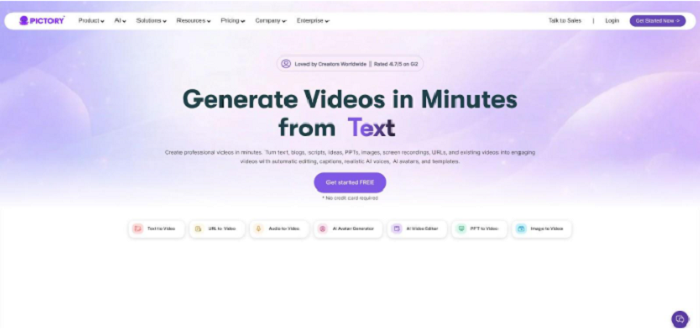
Pictory treats every lyric line as a story prompt. Paste your words or let the AI handle transcription, and the platform searches its stock library for matching footage—think city lights for “midnight drives” or slow-motion waves for “lost at sea.” Scene matching is spooky accurate, so you get narrative visuals without digging through B-roll sites.
 Pictory AI lyric video interface matching lyrics to stock footage.
Text animations arrive pre-styled, yet every font, color, and clip is swappable. This mix of automation and tweakability saves time while keeping you in charge of the final cut.
Plans start at nineteen dollars a month with no watermark on 1080p exports. The price can feel high for a single video but becomes a bargain when you also tap Pictory for promo teasers or Shorts.
Watch for repeat footage. Stock scenes may show up in other creators’ videos if you lean on the defaults. Swap a few clips or layer in your own footage and the result will look custom while still landing on schedule.
5. LyricEdits: studio-grade control for visual perfectionists
LyricEdits opens with an AI draft, but that is only the canvas. Switch to timeline view and you get key-frame precision closer to After Effects than a typical browser app. Every syllable marker is draggable, each background layer allows masking, and an animated-character library lets you storyboard full scenes when the lyrics call for it.
The beat grid keeps captions snapping to transients, so rapid rap verses stay readable without drifting. Need a bilingual chorus? Duplicate the text layer, swap the language, and offset placement; no plug-ins required.
At nineteen dollars a month, LyricEdits costs more than casual tools yet remains far cheaper than a freelance motion designer. Paid exports carry no watermark, and you can push projects to 4K for big-screen premieres.
Pick LyricEdits when complete visual control matters. It suits artists ready to spend time fine-tuning color grades and easing curves until every caption lands on the snare.
6. Rotor Videos: genre-matched montages in three clicks
Rotor offers a quick path from “I have no footage” to a watchable music video. Upload your song, pick a Style Pack such as “Hip-Hop Urban” or “EDM Neon Pulse,” and the engine stitches stock clips that follow every beat. Add your lyrics as captions and the result feels closer to an official video than a karaoke slide.
Because humans curate the Style Packs, edits land on crescendos and drops with intent. You can swap any suggested shot, though many users keep the defaults because they already match the track’s energy.
Rotor bills per export at about fifteen to twenty dollars for HD. The à la carte model suits creators who need one standout video and prefer to avoid another subscription. Preview renders are free, so you can test multiple styles before finalizing your choice.
Need a fast, on-brand video with no timeline editing? Rotor is the tool. Just remember other artists may choose the same Style Packs, so swap a clip or two to keep your look distinct.
7. Steve.AI: turn your song into an animated mini-movie
Some songs paint pictures; Steve.AI draws them. Paste your lyrics, choose the music-video workflow, and the engine builds a storyboard of cartoon scenes that act out each line while the words appear karaoke-style below. Think Saturday-morning energy for kids’ music or quirky indie pop.
A large library of characters and backgrounds powers the system. If the AI pairs “city at night” with a sleepy street you dislike, swap it in two clicks. You can blend full animation with live-action stock, though most users lean into the cartoon charm because it looks nothing like a standard lyric video.
Free exports carry a watermark. Paid plans start at fifteen dollars a month, remove the logo, and give you 1080p downloads. Render times run longer than text-only tools because the cloud handles extra motion, but the final video often earns shares simply for being fun to watch.
Pick Steve.AI when your track tells a story or targets younger listeners and you want visuals that feel like a short film, not just moving text.
8. LyricMV: fastest path from MP3 to share-ready video
LyricMV trims the process to three steps: upload audio, pick a template, download. AI transcription runs in seconds, and a low-resolution preview loads quickly so you can verify timing before you pay a cent. No account is required for testing, which makes quick experimentation painless.
Template variety is the standout feature. You will find clean minimal looks, grungy paper cut-outs, and neon club vibes. Because the engine applies font, animation, and color theory automatically, the output feels deliberate, not rushed.
Pricing runs on credits, usually a few dollars for a full-HD export without a watermark. That pay-as-you-go approach suits artists who release singles sporadically.
Customisation ends where the template ends. You can adjust text and background colour, but you cannot dive into keyframes or motion paths. Rotate templates or finish in another editor if you need a unique style each release.
Not sure which tool fits? Follow this quick decision path
Start with a reality check. If your budget is zero but you have time for manual tweaks, go straight to CapCut. Free, flexible, and watermark-free—time is the only cost.
Need a polished video tonight and willing to pay for convenience? Choose Neural Frames. It auto-renders fresh visuals in minutes, so you can schedule tomorrow’s release before bed.
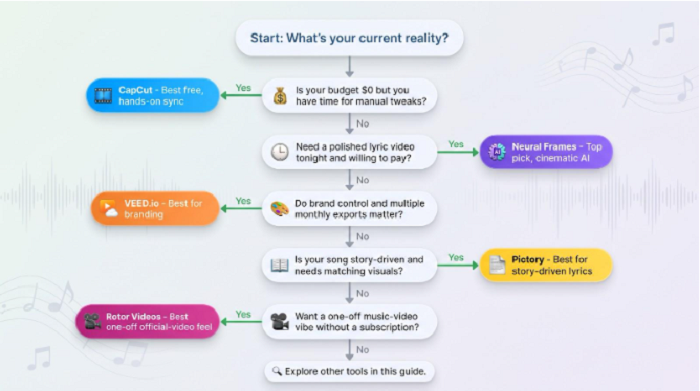
If brand control and multiple monthly exports matter, VEED covers those bases at a mid-tier price.
When the song’s narrative needs matching visuals—think power ballad or folk story—Pictory’s scene-matching library saves hours of footage hunting.
For a one-off music-video vibe without a subscription, Rotor’s pay-per-export model wins.
Match your scenario to the tool, and you avoid wasting both money and momentum.